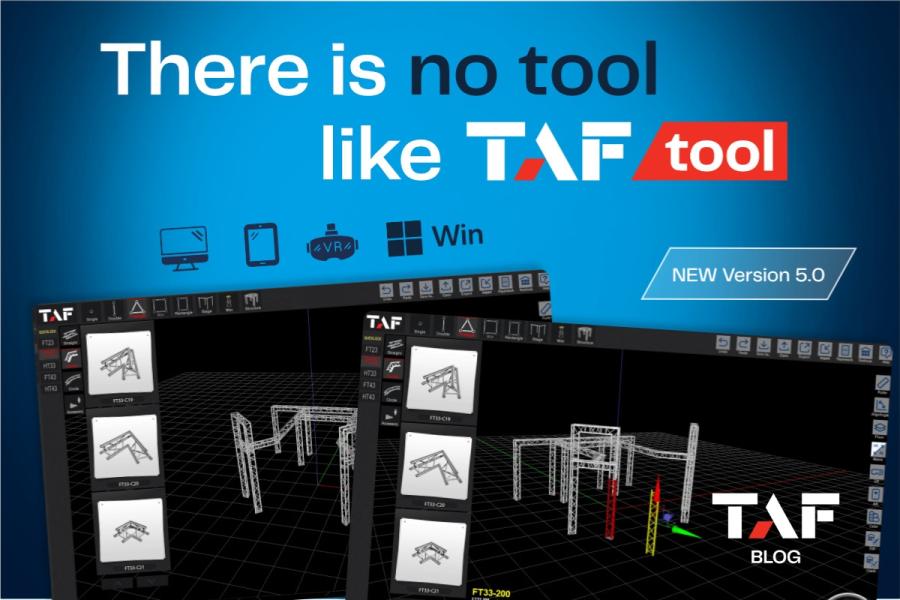
When professionals in live events, exhibitions, touring, staging, and temporary structures talk about speed, they rarely mean speed alone. What they really need is speed with accuracy. A structure has to look right, fit the required dimensions, use real components, communicate clearly to colleagues or clients, and move efficiently toward procurement. TAFtool is designed for exactly that kind of workflow. Available for Windows, TAFtool is not positioned as a generic modeling package or an open-ended CAD platform. It is purpose-built software for designing support structures in a virtual 3D space using real TAF products, helping users move from concept to documentation and ultimately toward execution.
That focus matters. In many design workflows, a concept drawing and a buildable structure are not the same thing. A design might look convincing but still leave unanswered questions about dimensions, product selection, quantities, layout, or how the concept should be communicated to a supplier. TAFtool narrows that gap by giving users a software environment based on actual TAF products and true-to-life dimensions. The software includes an extensive library of TAF truss and related products, and the structures created inside the program are displayed at scale. That makes the software relevant not only for visualising an idea, but for planning it in a way that is closer to real deployment.
Windows-only software
TAFtool is available only for Windows, and the platform communicates that very clearly. Its FAQ lists Windows 10 and Windows 11, both 64-bit, as the supported operating systems for minimum and recommended system requirements. You can also easily find information about the expected processor, graphics, memory, and storage requirements, while noting that internet access is required for updates and activation. For users in the event and staging world, that desktop-first approach is practical rather than restrictive. It signals that TAFtool is intended as a serious production tool running in a stable workstation environment, not a stripped-down browser app that trades capability for convenience.
This matters because truss and support structure design is rarely casual. Users may be preparing exhibition stands, event roofs, support systems, stage layouts, platforms, or custom installations that have to be presented internally or passed to a manufacturer for quotation. It also makes sense alongside TAFtool’s 3D navigation, rendering, and project handling features, all of which benefit from a system built for graphics work.
Getting started: registration, download, installation, and login
TAFtool has been designed with onboarding in mind. Before downloading the software, users register with their contact details. The official download page states that a unique code and a download link are then sent by email. From a workflow perspective, that gives TAFTool an account-based structure from the very beginning, which is useful for activation, support, and user continuity.
Just as importantly, the platform is backed by tutorial content that directly addresses the first user experience. The tutorials section includes videos dedicated to setup, download, installation, registration, and login. This is a smart move because specialised software often loses new users within the first few steps, not because the tool lacks value, but because the setup path is confusing. TAFtool reduces that friction by making the opening stages explicit and teachable. For companies introducing the software to sales teams, project planners, or technical departments, that tutorial-first approach can reduce training time and help new users become productive faster.
A 3D design environment built around real products
At the core of TAFtool is a 3D space environment in which users can construct and inspect their designs. The software introduces some cool and handy features such as that users can work in real space, rotate and move truss segments along all three axes, and control the camera freely around the structure. Standard, side, and top views are also available, together with zooming. These are not cosmetic extras. They are central to understanding whether a structure works spatially, reads clearly, and aligns with the intended use case.
The value of this becomes even more obvious when combined with TAFtool’s product library. The library contains all standard truss segments produced by TAF. Because the program uses real dimensions and displays designs at scale, the user is not sketching with abstract placeholder objects. They are assembling a structure from recognizable, manufacturer-specific building blocks. That supports better internal communication, smoother handoff to procurement or sales, and more confidence when the time comes to document or price the design.
TAFtool also highlights preset orientation and placement options for truss segments in the current design. This may seem like a small operational detail, but in real project work it can save meaningful time. Orientation mistakes and placement misunderstandings are among the most common sources of rework in structural planning. Software that makes these settings more visible can improve consistency and reduce avoidable corrections.
More than truss lines: designing stages, layouts, and support systems
The software’s use cases go beyond simple truss frames. It as a tool for everything from exhibition stands and live-event support structures to other creative concepts. The tutorial library reinforces that broader scope with videos covering structures, podiums, miscellaneous elements, and utility tools such as ruler, rotate, align angles, and floor controls. In other words, the program is not limited to building bare truss geometry. It supports the wider composition of event and support system layouts.
For users designing stages or temporary support structures, that wider toolkit is especially important. A project often needs more than a stable frame. It needs clarity in spacing, proportions, alignment, floor relation, and documentation. By including these functions in the same environment, TAFtool helps designers avoid the fragmented workflow that comes from jumping between multiple unrelated tools.
Exporting designs into paperwork and pricing workflows
One of TAFtool’s strongest practical advantages is what happens after the structure is modelled. The users can export a design to PDF. The output includes a 3D image of the structure, its real dimensions, and a list of the products used. Furthermore, this PDF can be sent to the TAF sales team for a detailed price quote. That point deserves emphasis because it turns TAFtool from a visualisation tool into a bridge between design and commercial action.
This is where the software becomes especially valuable for businesses. Instead of building something visually in one system, manually compiling a parts list in another, and then writing a separate explanation for pricing, the user can move toward a more integrated process.
Thanks to a wide tutorial library base you can easily learn how to exit the software and request a project cost estimate. That might sound like a minor convenience, but it reveals something important about the product philosophy: TAFtool is built to continue the workflow after design, not stop at design. It is built to help users turn a virtual structure into an actionable request.
Sharing projects and improving collaboration
Specialised software often works well for the person who created the file and poorly for everyone else. TAFtool addresses that problem by explicitly teaching users how to share projects. Our tutorials include a dedicated video on easy project sharing, suggesting that collaboration is not an afterthought. For teams working across sales, technical planning, project management, and external approval cycles, this matters a great deal.
Better sharing means fewer interpretation gaps. It also supports a more efficient feedback process with team members, clients, engineers, or suppliers. In practice, that can reduce revision cycles and accelerate decisions. For a software product aimed at professionals, this kind of operational clarity is often more valuable than flashy interface claims.
The Stock feature and warehouse-aware planning
Another standout area is TAFtool’s Stock feature. On the homepage, it is explained that users can upload the TAF products they currently have in stock and use those products to build a virtual structure. The software can then help determine whether enough parts are available for the intended build and what inventory would remain afterward. That is a substantial practical benefit for rental companies, production firms, technical suppliers, and venues managing their own truss inventory.
This warehouse-aware approach is reinforced by the Warehouse module, including the Balance Calculator and item-availability editing. These functions make TAFtool more than a design tool; they make it a planning aid. Instead of designing in isolation and discovering shortages later, users can test ideas against actual stock conditions earlier in the process. That can improve forecasting, reduce logistics surprises, and support smarter allocation of inventory across multiple projects.
VR, AR, and FBX: extending the value of the design
TAFtool also includes up to date features that expand how projects can be presented and reviewed - VR tool for exploring a truss design in a virtual 3D environment and an AR tool for placing designs into a real world setting through a device camera. These capabilities are especially useful for presentations, internal reviews, and spatial decision making. A client or project team can understand not only the structure as an object, but how it may feel in context.
The platform also supports FBX import and export. That is significant for users who want to move projects into other 3D pipelines for visualisation, animation, or coordination. It shows that TAFTool can serve as a core design environment while still fitting into broader content workflows when needed.
Training, support, and user confidence
A software platform becomes more useful when users can keep learning after the first project. TAFtool clearly invests in tutorial led adoption. Its video library spans setup, interface navigation, element selection, operations, structures, paperwork, warehouse tools, password recovery, sharing, and immersive tools. This breadth makes the platform more approachable for both new and experienced users. A beginner can learn the basics step by step, while an advanced user can dip into specific modules as needed.
Support information is also easy to find. The FAQ addresses practical issues such as launch problems, white screen startup problems, and what to do if a user loses the license key email. The contact page explains that support requests are handled through web. based communication via support@taftool.com, with offices listed for Europe, the USA, and the UK. For business users, that visible support structure helps build trust. It suggests that the software is part of an ongoing service ecosystem rather than a standalone download left to the user to figure out alone.
Final thoughts: who TAFTool is really for
TAFtool is clearly built for users who need to do more than sketch. It is for professionals who want to model real support structures with real products, inspect them in a 3D environment, document them properly, compare them against stock, share them with others, and move efficiently toward pricing. That makes it especially relevant for live event suppliers, exhibition builders, rental houses, production teams, technical project managers, and any business that regularly works with TAF truss systems.
Its Windows-only availability should be seen in that same light. Rather than trying to satisfy every platform and every casual use case, TAFtool focuses on a practical professional workflow inside a desktop environment. With free access, a wide tutorial library, PDF export, project sharing, stock-aware planning, immersive review tools, and a direct path to a quote from TAF, it offers a tightly connected workflow that aligns with how real projects move from idea to execution.
For teams that already work with TAF products, the benefit is obvious: greater speed, better structure planning, and fewer disconnects between design and procurement. For teams evaluating whether the software deserves a place in their toolkit, the answer depends on one simple question. Do you need a tool that helps turn truss and stage concepts into real, documented, shareable, and quotable projects? If the answer is yes, TAFtool looks like a very strong fit.
Download TAFtool for free, explore the tutorials, and build your first truss or stage concept with real TAF components.